
The Retirement Money Blueprint · free guide + Excel workbook
The month your house is paid off, and what to do about retirement before then
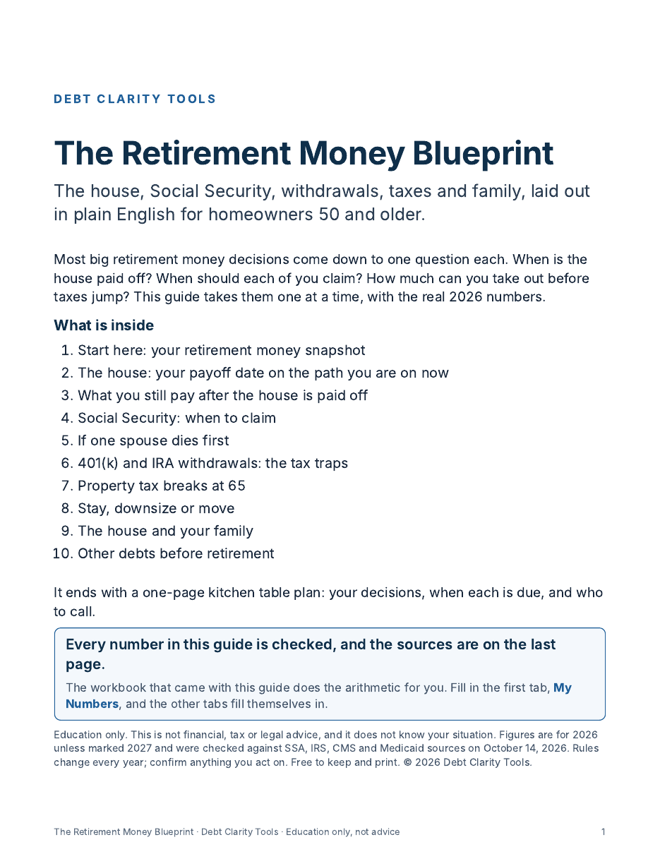
Type three numbers from your mortgage statement and the free workbook shows the month your loan ends and the interest still ahead. The 12-page guide covers the rest of retirement money in plain English: Social Security, withdrawals and taxes, property tax breaks at 65, staying or moving, and the house and your family.
Free download
Send me the Blueprint
Enter your email. The guide and the workbook land in your inbox in a minute or two.
Not there in 10 minutes? Look in Promotions or Spam, or write to hello@debtclaritytools.com.
While you wait, find your last mortgage statement. The balance, the rate and the principal and interest payment are the three numbers the workbook needs first.
The number most people have never seen
Most homeowners know their payment by heart. Very few know the month the payments stop. Here is one example: a $150,000 balance at 6% with a $1,200 monthly payment takes 197 more payments, about 16 years and 5 months, with about $85,988 of interest still to come. Your workbook does the same for your loan in about two minutes, and lines the date up with the year you plan to stop working.
What is in the workbook
Tab 1
My Numbers
The only tab you type in. Every yellow cell has an example and says where to find the number.
Tab 2
The House
Your payoff date on the path you are on now, the interest left, and your age when it is done.
Tab 3
After Payoff
What the house still costs each month once the mortgage is gone: tax, insurance, HOA and upkeep.
Tab 4
Social Security
Your estimates at 62, full retirement age and 70 side by side, for you and your spouse.
Tab 5
Withdrawal Tax Check
Flags whether a 401(k) or IRA withdrawal could make Social Security taxable or raise your Medicare premium.
Tab 6
Stay or Move
Your monthly cost now beside the cost after a move, and what you would walk away with.
Three more tabs at the back list every other debt, total what the minimums cost you each month, and rank the easy wins.
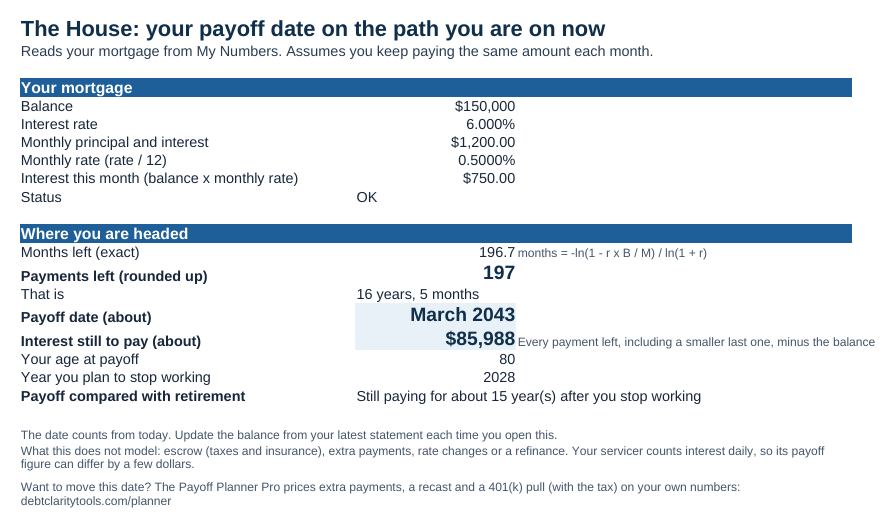
The House tab with the example numbers. Your own numbers replace these.
What is in the guide
- Start here: your retirement money snapshot
- The house: your payoff date on the path you are on now
- What you still pay after the house is paid off
- Social Security: when to claim
- If one spouse dies first
- 401(k) and IRA withdrawals: the tax traps
- Property tax breaks at 65
- Stay, downsize or move
- The house and your family
- Other debts before retirement
It ends with a one-page kitchen table plan: the decisions in front of you, when each is due, and who to call. Every figure is a 2026 figure from SSA, the IRS, CMS or Medicaid, and the sources are listed on the last page.
One thing it will not do
It shows one date: the one you are on now. It will not compare ways of changing it, like extra payments, a lump sum, a recast or a 401(k) withdrawal, and it will not tell you when to claim. That is what the Payoff Planner Pro is for.
Want a number right now instead?
Mortgage Payoff Credit Card Payoff All 8 calculators
Prefer video? Watch Finance with Fred on YouTube.
Questions people ask about the Blueprint
What is The Retirement Money Blueprint?
The Retirement Money Blueprint is a free 12-page guide and Excel workbook from Debt Clarity Tools for homeowners 50 and older. The workbook shows the month your mortgage ends on the path you are on now and the interest still ahead. The guide covers what comes next: Social Security, 401(k) and IRA withdrawals, property tax breaks at 65, staying or moving, and how the house passes to family.
Is the Blueprint really free?
Yes. Both files cost $0 and no card is asked for. Enter your email and we send the guide and the workbook to your inbox. You can unsubscribe any time.
Does the workbook give me a payoff date?
Yes. Type your balance, rate and monthly principal and interest payment, and The House tab shows the month and year your mortgage ends if you keep paying the same amount, plus the interest still to come. For example, a $150,000 balance at 6% with a $1,200 payment takes 197 more payments and about $85,988 in interest. To compare ways of changing that date, such as extra payments or a recast, use the Payoff Planner Pro.
Do I have to send you my numbers?
No. The workbook is a plain Excel file with no macros. It runs on your own computer in Excel, Google Sheets or Numbers, and nothing you type is sent to us. We only ask for your email, to send the files.
Page updated October 14, 2026. Education only, not financial, tax or legal advice.
After the date, the plan
The Blueprint shows the date you are headed for. The Payoff Planner Pro shows what moves it, with a dollar figure on each option: extra payments, a recast, dropping PMI, next year's escrow, a 401(k) pull with its tax, and when to claim Social Security.
See the Payoff Planner Pro →One payment of $97. Nothing renews. 30 days to change your mind.